What Is a Watermark in AI Video?
A watermark is an on-screen mark (often a small logo or moving overlay) added to a video export to indicate origin, discourage misuse, or enforce licensing rules. In the AI video world, watermarks are commonly used as provenance signals—helping viewers recognize that a clip is synthetic. Some systems also embed invisible provenance metadata (like C2PA Content Credentials) in the exported file so platforms and verification tools can trace the origin.
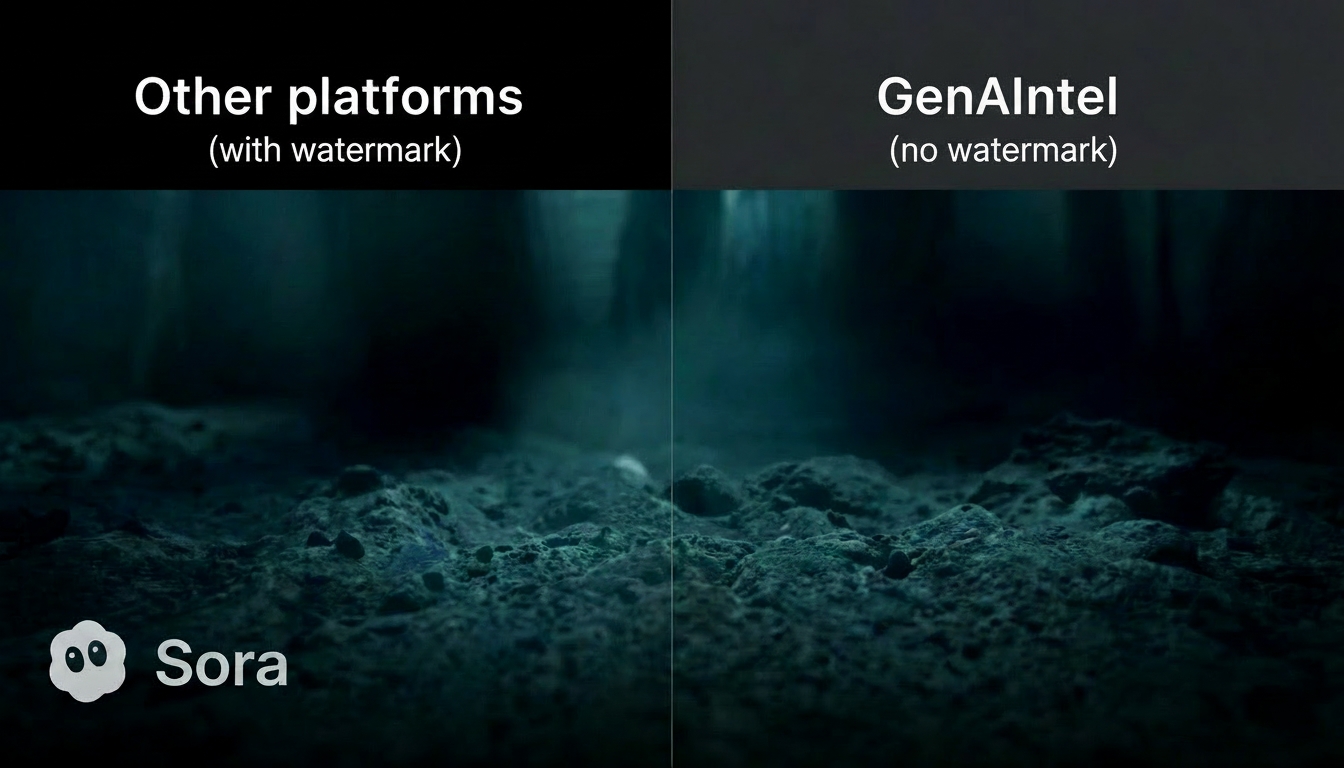
The practical problem: watermarks can make a clip unusable for marketing, client work, product demos, paid ads, app store previews, or professional film edits. That’s why keywords like “watermark free AI video generation”, “AI video generation without watermark”, and “remove watermark” are trending—creators want clean deliverables.
Why Sora 2 Has a Watermark
OpenAI has stated that at launch, Sora exports include a visible, moving watermark and embed C2PA provenance metadata. The stated goal is to help audiences distinguish AI-generated media and reduce misuse. You can read this directly in OpenAI’s launch and help documentation: Launching Sora responsibly.
That means “watermark-free Sora 2 exports” typically isn’t a simple toggle—because the watermark is part of Sora’s distribution policy. And importantly: we do not recommend or provide instructions to remove watermarks from watermarked exports.
Ready to create watermark-free AI videos?
Create AI videos (including Sora 2) with 100+ models side-by-side with your own prompts on GenAIntel.
Solution for Videos Already Generated with Watermark: A Watermark-Free Workflow Using GenAIntel
Here’s the workflow creators are using in practice: use Sora 2 (or Sora 2 Pro) for what it’s best at—ideation, shot planning, visual direction, and consistency—then generate the final deliverable as a clean export using a watermark-free model inside GenAIntel. GenAIntel supports 100+ video models, so you can choose a model that fits your style and export requirements.
- Step 1: Create the shot concept with Sora 2 (or Sora 2 Pro) in another platform with watermark: lock your idea, framing, lighting, pacing, and mood.
- Step 2: Refine the prompt until your shot is exactly right (camera motion, character description, environment details).
- Step 3: Re-render the same shot using a watermark-free export model available on GenAIntel (often best for commercial delivery).
- Step 4: Assemble your sequence in your editor (Premiere/Resolve/Final Cut), add sound, grade, and export.
This approach gives you the creative advantage of Sora-style ideation while still producing clean, watermark-free final footage for real-world use.
3 Watermark-Free Video Examples You Can Run on GenAIntel
Each example below includes a prompt you can run as a Sora 2 “director’s draft” prompt and then reuse for your watermark-free final render in GenAIntel. Replace the placeholder URLs with your generated videos.
Example 1: Luxury Watch Product Shot
16:9 cinematic macro product shot of a sleek chrome and black diver's watch with glowing blue lume, partially submerged in crystal clear water. Tiny air bubbles rise slowly from the bezel in ultra slow motion as the camera performs an extreme close-up rack focus from the watch face to the logo on the clasp. Dramatic studio lighting with a single key light creates sharp, elegant reflections on the metal, black background falling into darkness, subtle film grain.Example 2: Woman Standing in a Desert Storm Scene
A young woman stands firm in a raging desert storm as the wind whips sand around her. The camera performs a slow circular orbit as particles blur in the air. Harsh directional light casts dramatic shadows across her face, capturing determination and resilience. Cinematic color palette with muted ochres and deep contrast, dust motion trails visible — epic slow-motion realism, 4K film texture.Example 3: Golden Retriever Playing with a Ball
A golden retriever puppy playfully chasing a red ball across a lush green lawn on a sunny day.FAQ: Watermark-Free, Remove Watermark, and What’s Allowed
Can I remove a Sora 2 watermark?
If a platform applies a watermark to exports, removing it can violate terms and policies. The safer and cleaner approach is to generate watermark-free deliverables directly using a model in GenAIntel and export route that provides clean outputs.
Does Sora 2 include provenance metadata?
Not on GenAIntel, but OpenAI describes Sora videos as including visible watermarking and C2PA provenance metadata at launch. See: Launching Sora responsibly. We recommend using GenAIntel to create watermark-free videos.
What’s the fastest path to watermark-free AI video?
Use GenAIntel to choose a watermark-free export model from the start—or use Sora 2 to develop the shot, then re-render the final output on a watermark-free model for delivery.
Ready to create watermark-free videos using Sora 2?
Create AI videos (including Sora 2) with 100+ models side-by-side with your own prompts on GenAIntel.
Conclusion
Watermarks are a real pain point for creators who want professional, client-ready AI videos. Sora 2’s watermarking is part of a broader provenance strategy, but it can limit commercial usability. The practical solution is a two-step workflow: ideate and direct with Sora 2-style prompting, then export watermark-free final clips using GenAIntel’s 100+ model library. You get the creative power and the clean deliverables—without risky watermark-removal hacks.