What is Nano Banana 2?
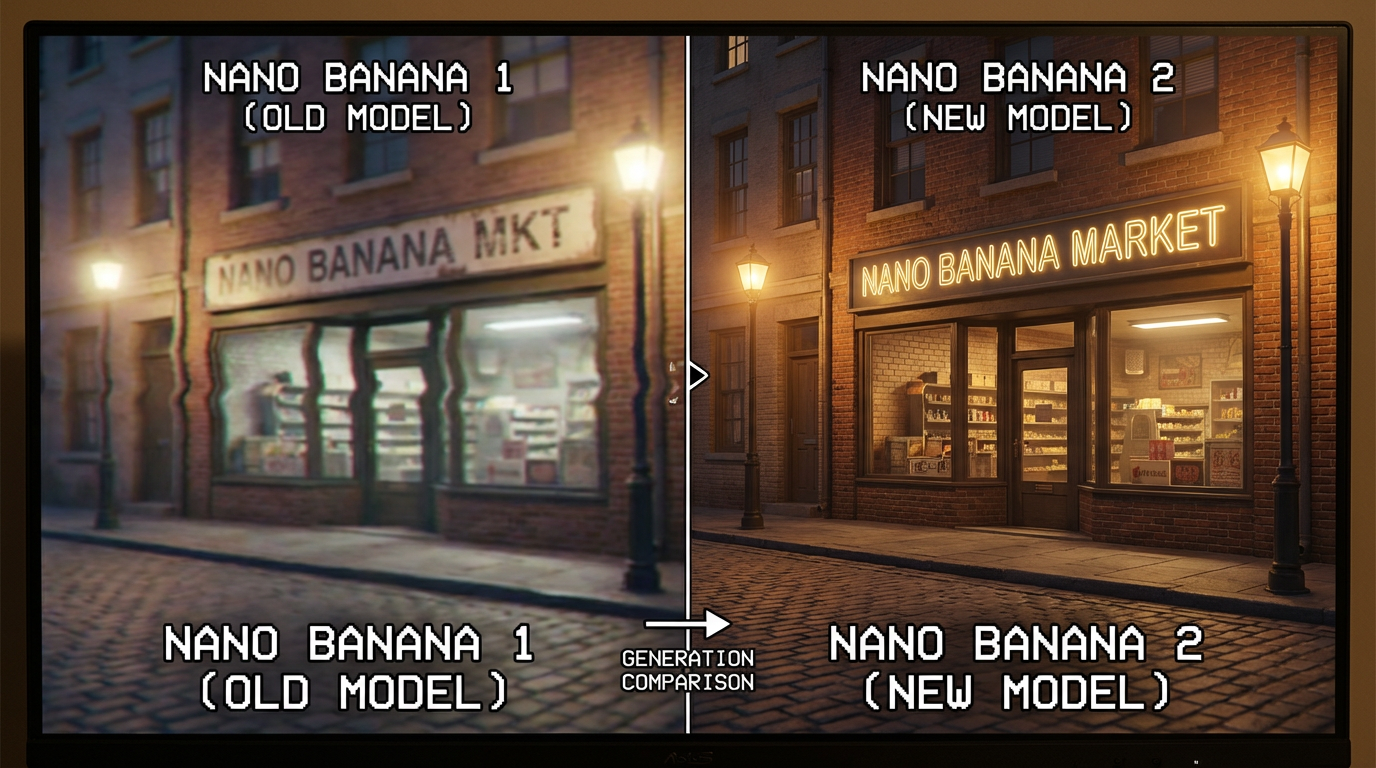
Nano Banana 2 is Google’s newest image model built on the Gemini image stack (often referenced publicly as Gemini 3.1 Flash Image). It’s designed for two practical creator workflows: high-quality image creation from a prompt and fast, precise image editing that preserves what matters in the original. Google’s own launch materials emphasize stronger realism, better text rendering, improved “world knowledge,” and a big leap in speed and cost efficiency compared to prior versions.
Official pages to understand the release: Nano Banana 2 overview, Build with Nano Banana 2, and the DeepMind model page for Gemini image generation: Gemini Flash Image (Nano Banana 2).
Try Nano Banana 2 on day 0
Create images and perform fast, high-quality edits with Nano Banana 2 in GenAIntel—then compare outputs with other top models in the same workspace.
Nano Banana 2 key features (why it’s trending right now)
Nano Banana 2 is trending because it improves the exact things creators care about most: speed, clarity, text accuracy, and editing that doesn’t destroy the original image.
- Excellent text rendering + realism: Strong at producing readable typography and photoreal detail—useful for posters, packaging, UI mockups, and product imagery.
- Advanced image editing (edit with intent, not masks): You describe the change in natural language and the model reasons about what to modify while preserving composition, lighting, and identity.
- Multi-reference editing and compositing: Supports using multiple reference images in one request (up to 14 in Google’s public docs) for style matching, subject transfer, and scene assembly.
- Faster generation: Positioned as significantly faster than earlier versions (often described as “Flash-tier speed”), enabling rapid iteration and A/B testing.
- Lower cost for higher quality: Designed to deliver strong visual fidelity with improved efficiency—useful for high-volume creative workflows.
Google’s developer documentation also highlights optional grounding with search and the ability to use multiple references for compositing and consistency: Google AI image generation docs.
What makes Nano Banana 2 editing feel different
Traditional image editors often require masks, layers, and precise manual selection. Nano Banana 2’s editing is designed to be semantic: you tell it what you want changed in plain language, and it tries to preserve the rest—face identity, background framing, lighting direction, and overall style.
This is especially valuable for product teams and creators doing rapid iteration: swap packaging colors, change a model’s outfit, replace a background, insert an object, translate text on a sign—without rebuilding the image from scratch.
Nano Banana 2 vs Nano Banana Pro and Flux 2
Nano Banana 2 enters a landscape where Nano Banana Pro and Flux 2 are already known for high-quality output. The most practical way to choose between them is to match the model to your workflow.
- Nano Banana 2: optimized for fast iteration and vibrant results—great when you need quick cycles, frequent edits, and consistent quality at speed.
- Nano Banana Pro: often used when you want deeper reasoning and “maximum precision” on complex multi-step edits and difficult compositions.
- Flux 2: commonly chosen for production-style generation, brand workflows, and controlled creative pipelines—especially when you want stable design language and repeatable output.
On GenAIntel, you can run the same prompt across Nano Banana 2, Nano Banana Pro, and Flux 2 to see which one best fits your brand style, editing needs, and speed requirements.
Examples: image creation + image editing you can copy/paste
Below are examples that highlight Nano Banana 2 strengths: readable text, photoreal product lighting, and semantic edits that preserve the original.
Example 1: Advanced typography layout (challenging text + hierarchy)
Landscape 16:9 editorial banner with complex but perfectly readable typography and strict layout control. Use a modern Swiss grid with clear spacing and alignment. Main headline (very large, bold sans-serif): "NANO BANANA 2". Secondary headline (medium weight): "TYPOGRAPHY STRESS TEST". Subheader line: "Readable micro-text • Perfect kerning • Clean hierarchy". Add a small footer row with three labeled boxes, each with readable text: "Speed: 4x Faster" | "Editing: Intent-Aware" | "Text: High Fidelity". Include a small top-left tag in a rounded pill: "Google Gemini Flash Image". Add a tiny legal-style microtext line at the very bottom (still readable): "Generated for layout testing — ensure all text is sharp and correctly spelled." Minimalist design, high contrast on a light background, subtle gradient, crisp edges, no distortions, no gibberish letters, professional typography, perfect spelling, clean composition.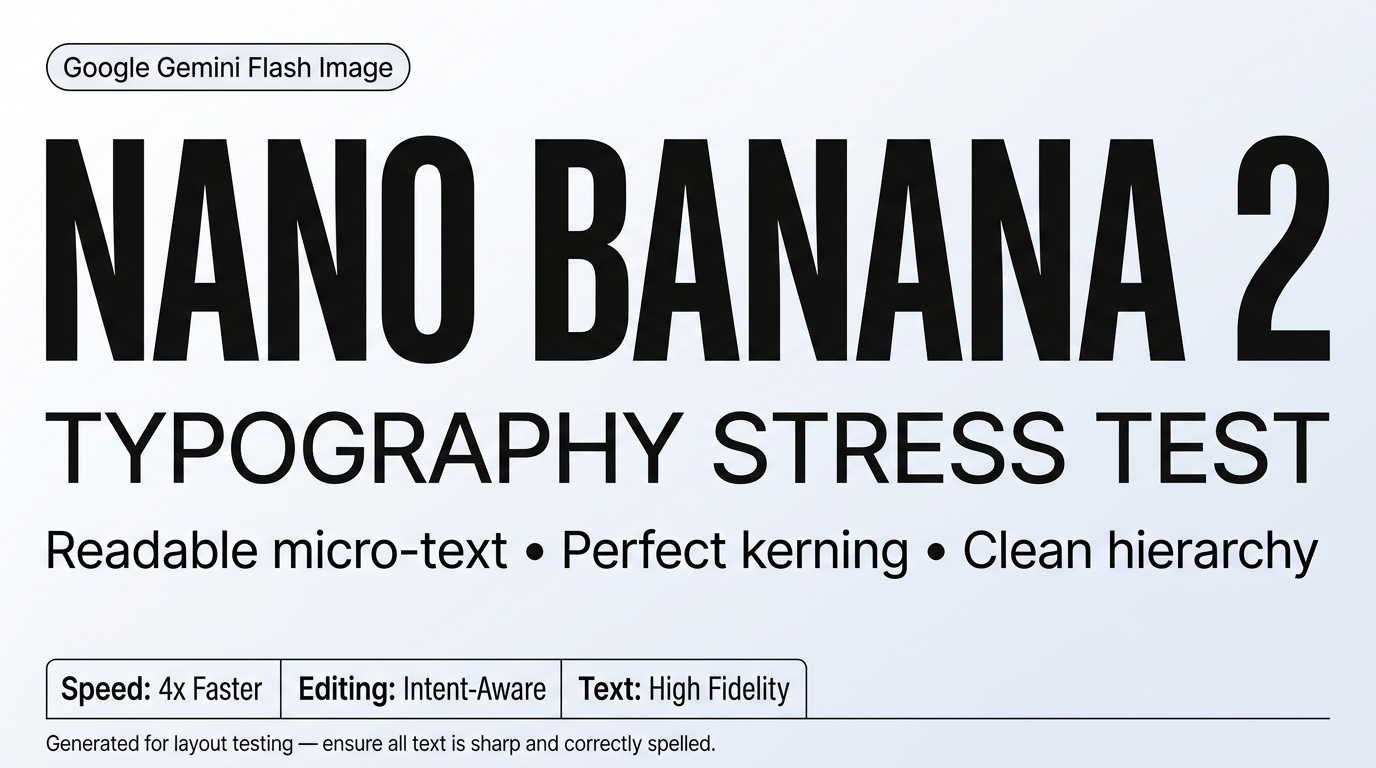
Example 2: High-end commercial product shot (complex materials + layered lighting)
Ultra-photoreal 16:9 luxury skincare advertisement scene on a styled set. Foreground: a frosted glass serum bottle with a brushed aluminum cap, tiny condensation droplets, label text clearly readable: "AURORA SERUM" and smaller line "Vitamin C + Peptides" in clean sans-serif. The bottle stands on a wet, dark slate stone with realistic water beads and subtle reflections. Surrounding props: a sliced citrus wedge, a small glass pipette with a drop mid-air (freeze-frame look), and soft translucent fabric draped in the background. Lighting: cinematic studio setup with a soft key light from upper left, cool rim light from right outlining the bottle, gentle backlight creating a halo through the frosted glass, subtle caustic highlights on the slate. Background: deep charcoal gradient with faint bokeh. Camera: 85mm lens look, shallow depth of field, crisp focus on the label and droplets, realistic film grain, premium commercial style, no distortions, perfect spelling.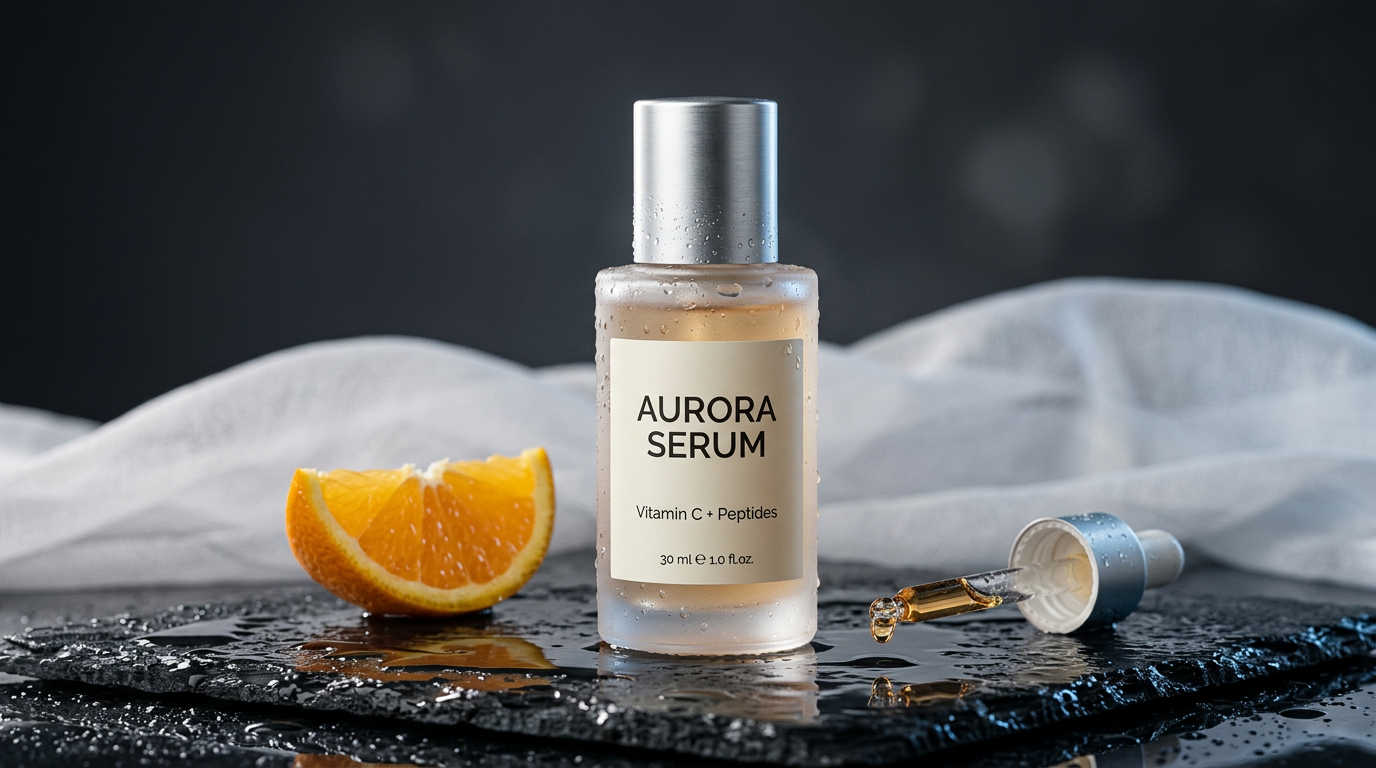
Example 3: Fast semantic editing (change one thing, keep everything else)
Create a base image (or upload your own), then apply a targeted edit prompt. This shows “edit with intent”—changing one element while preserving the rest.
Photoreal portrait of an adult (25+) standing in a bright living room, wearing a plain denim jacket, natural daylight from a window, neutral background, 16:9.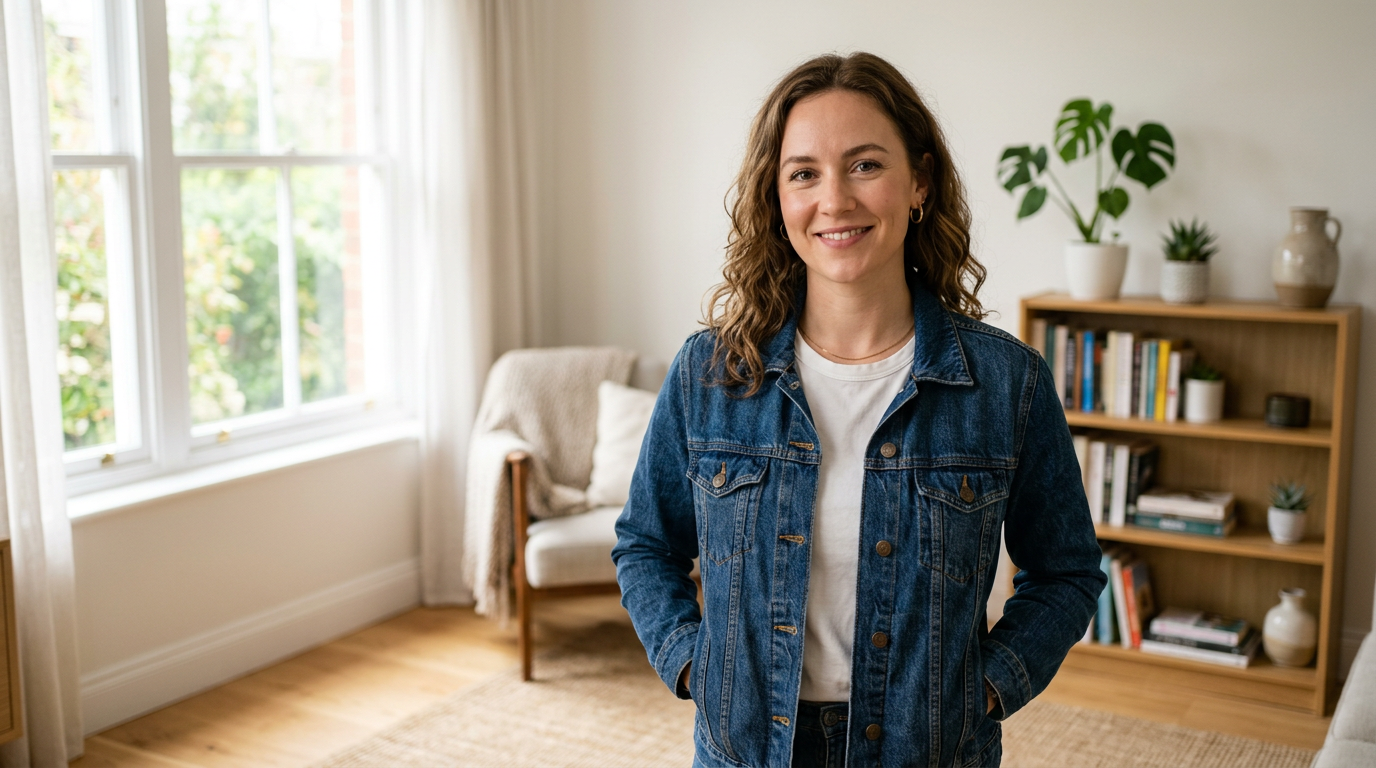
Keep the person’s face, hair, skin tone, pose, and the background unchanged. Change only the jacket to a tailored beige trench coat with realistic fabric texture and natural folds. Maintain the same lighting direction and shadow softness.
Prompting tips that work well with Nano Banana 2
- Be specific about what must stay the same (for edits): “Keep the face, pose, and background unchanged; change only the jacket color.”
- Use quoted text for typography: Put the exact words in quotes and describe style: font, size, placement, contrast.
- Use multi-reference intentionally: If you provide many references, label their purpose (style vs subject vs product).
- Iterate in small steps: Make one change at a time (lighting OR background OR outfit) for the cleanest results.
- Describe realism like a photographer: lens look, lighting direction, depth of field, and material cues help photoreal scenes.
Day-0 availability on GenAIntel
Nano Banana 2 is available on GenAIntel on day 0—meaning you can use it as soon as it’s officially accessible. On GenAIntel, you can use Nano Banana 2 for image creation and image editing, side-by-side with many other top models for fast comparisons and workflow flexibility.
Want faster iterations with fewer failed renders?
Use Nano Banana 2 for quick high-quality creation and edits, then compare results with Nano Banana Pro and Flux 2 in the same GenAIntel workspace.